Brain is where Boord shows the company memory it is working from. Instead of hiding context inside a chat transcript, Brain lets a leader search the facts and entities that Boord has learned, then inspect how they connect.
That matters because the quality of an AI operating system depends on the context behind the work. If the memory is stale, duplicated, or missing a decision, the next project plan or customer follow-up will inherit that weakness.
What Brain is
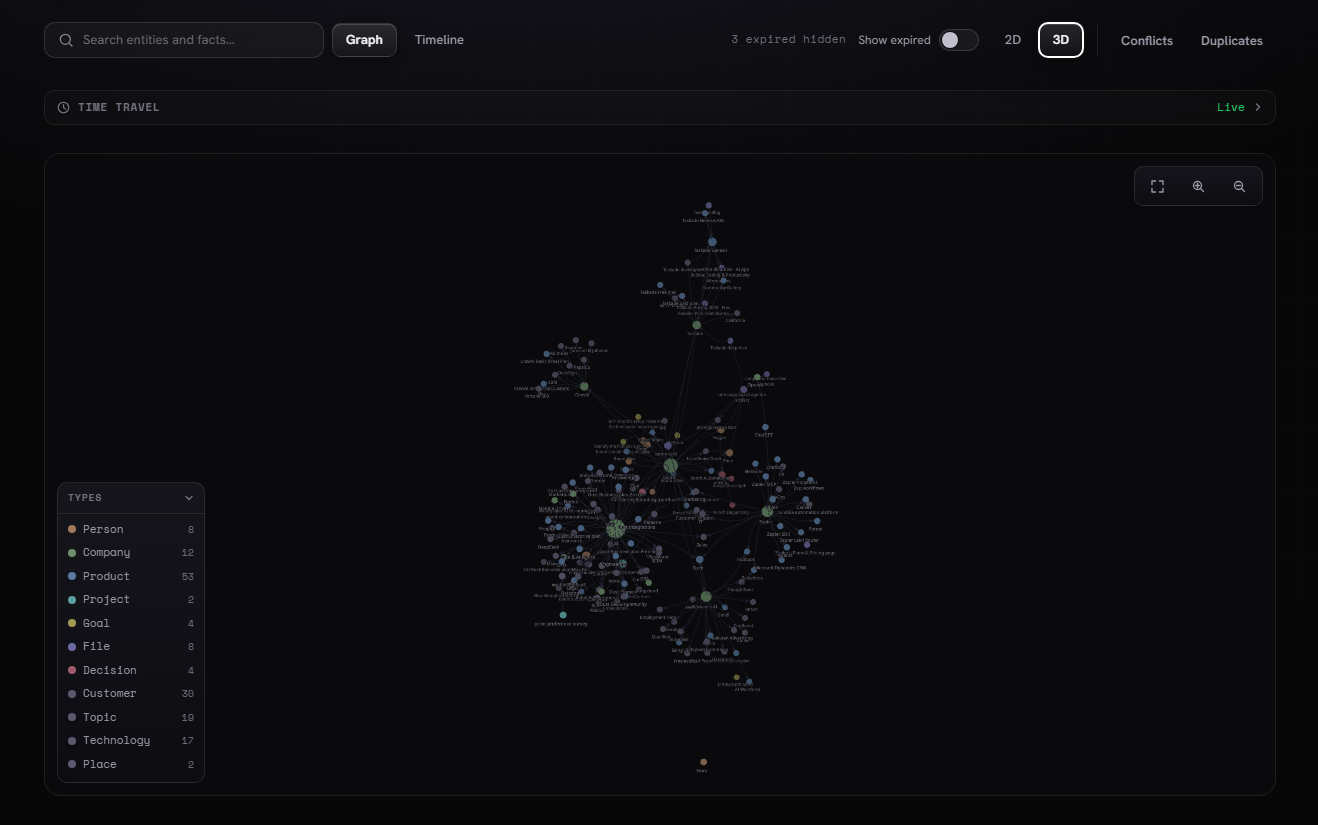
Brain is the shared memory surface for Boord. It can hold people, companies, products, projects, goals, files, decisions, customers, topics, technologies, and places as connected entities.
The graph view helps a team see relationships. The timeline view helps a team understand when facts appeared or changed. Together, they make memory something a leader can review before the Members use it.
Entities
People, companies, products, projects, goals, files, customers, topics, technologies, and places stay visible as structured memory.
Relationships
The graph shows how context connects, so a product, customer, file, and decision can travel together into the next task.
Review controls
Conflicts, duplicates, expired facts, and time travel make memory review part of the operating workflow.
How the graph works
The search bar is the fastest way to start. A leader can search entities and facts, then switch between Graph and Timeline depending on the question.
The graph can run in 2D or 3D. 2D is useful for quick inspection. 3D is useful when the memory has many connected clusters and the team needs to understand shape, density, and outliers.
Search entities and facts
Search before a meeting, project review, dashboard readout, or customer reply so the work starts from known context.
Filter by entity type
Narrow the graph by Person, Company, Product, Project, Goal, File, Decision, Customer, Topic, Technology, or Place.
Check memory health
Use expired facts, conflicts, duplicates, and time travel to keep the memory trustworthy.
How to use Brain
Use Brain before asking Boord to create important work. The goal is to catch context problems early, while they are still easy to fix.
Search the source
Look up the product, customer, project, or decision you are about to work on.
Scan the connections
Use Graph or Timeline to see which files, goals, decisions, and topics belong to the work.
Clean the memory
Review expired facts, conflicts, and duplicates before the Members use that context.
Ask the Members
Once the context is clean, ask Boord to draft the plan, dashboard note, site update, or follow-up.
What this unlocks
Brain makes Boord feel less like a one-off chat and more like a company operating layer. The Members do not have to depend only on what was pasted into the current prompt. They can work from the same remembered company map.
| Brain surface | What it helps answer | Where it shows up next |
|---|---|---|
| Search | What does Boord know about this entity? | Briefs, follow-up, dashboards, and site updates |
| Graph | How are the facts and entities connected? | Project plans, launch work, and review questions |
| Timeline | What changed, and when did it change? | Weekly reviews and decision history |
| Conflicts and duplicates | Which context needs review before use? | Cleaner Member outputs and fewer repair cycles |
Why leaders should care
Every company already has a memory. The problem is that it is usually scattered across notes, files, messages, meetings, customer records, and dashboards.
Brain gives Boord a place to make that memory visible. Leaders can inspect what the system knows, correct weak context, and then let the Members turn cleaner memory into useful work.
Use-case FAQ
What is Boord Brain?
Boord Brain is the company memory layer. It stores and connects entities, facts, files, decisions, customers, products, projects, goals, topics, and technologies.
How do teams use Brain before asking Boord for work?
Teams search the graph, inspect relationships, review stale or conflicting context, then ask Members to draft, plan, analyze, or follow up from cleaner memory.
Does Brain replace human review?
No. Brain makes review easier by showing the context Boord is using. A human still checks the facts, decisions, and output before important work ships.